Cursor Code Editor 2.0: What Makes Developers Code 3x Faster in 2026
Cursor code editor stands as the most complete AI-first editor available today, enabling developers to dramatically accelerate their coding workflow. Unlike traditional code editors, this agentic AI tool adds intelligent capabilities on top of the familiar editing experience, allowing users to generate massive amounts of code, files, and entire projects.
Cursor 2.0 introduces significant advancements that transform how developers interact with their AI code editor. At the core of this evolution is Composer, a specialized coding model designed specifically for building software inside Cursor. Furthermore, the redesigned interface centers on agents rather than just files, creating a fundamentally different development experience. The most remarkable improvement is speed - generations now operate at approximately twice the speed of previous models, making them feel “instant enough” that developers no longer hesitate to rerun plans, refactors, or experiments.
What truly sets Cursor 2.0 apart is its ability to support multiple AI agents working in parallel on the same project. Developers can now simultaneously assign different tasks - such as refactoring, fixing tests, and polishing UI - to separate agents, switching between them as easily as changing terminals or branches. This article explores how these innovations enable developers to code significantly faster in 2026, examining the key features, implementation strategies for both teams and solo developers, and techniques for maximizing productivity through external tool integration.
What is Cursor AI Code Editor and How It Works
Developed by Anysphere Inc. in 2023, Cursor AI is a specialized code editor built as a fork of Visual Studio Code that integrates powerful AI capabilities directly into the development environment. This innovative tool merges the familiar interface of VS Code with advanced artificial intelligence features powered by sophisticated models like GPT-4 and Claude 3.5 Sonnet.
Built on VS Code with AI Layer
Cursor uses VS Code as its foundation, maintaining the familiar editing environment that developers already know while adding an AI layer on top. This approach allows the team to focus on creating an exceptional AI-powered coding experience without requiring users to learn an entirely new interface. As a result, Cursor handles large codebases efficiently, with minimal impact on CPU and memory compared to standalone AI IDEs. On mid-range laptops with 16GB RAM and Intel i5 processors, it comfortably processes projects exceeding 10,000 lines without noticeable lag.
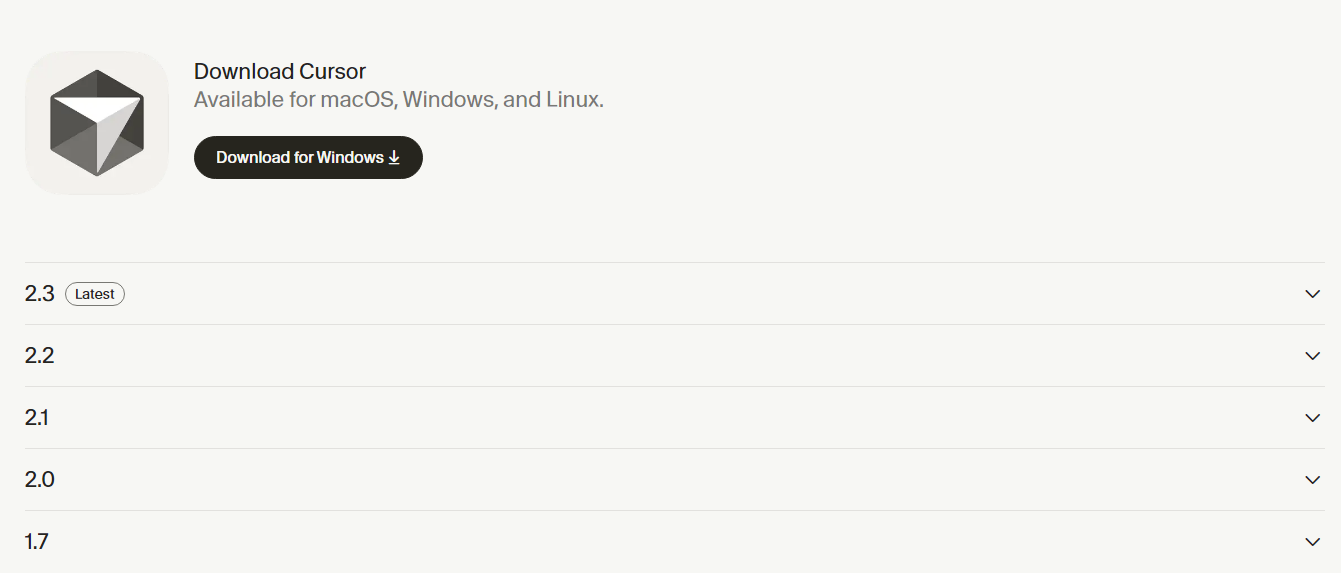
You can download the Cursor 2.0 AI Code Editor from here
Context-Aware Chat and Tab Completion
The heart of Cursor’s capabilities lies in its context-aware features. Tab completion goes far beyond traditional autocomplete, functioning more like an AI pair programmer. Unlike GitHub Copilot, which primarily inserts text at your cursor position, Cursor Tab can understand surrounding code, recent actions, and even linter errors to suggest meaningful changes across multiple lines.
Tab’s intelligent capabilities include:
-
Modifying existing code, not just inserting new code
-
Suggesting changes spanning multiple lines simultaneously
-
Automatically adding import statements when missing
-
Predicting your next editing location and suggesting jumps
The chat interface complements these features by allowing natural language interaction with your codebase. This enables developers to select code snippets and ask questions about functionality or request optimization suggestions without leaving their workflow.
Project-Level Memory with Rules
A common frustration with AI coding assistants is constantly repeating instructions or watching the AI make decisions that don’t align with project architecture. Cursor solves this through its Rules system. Rules function as persistent memory, storing instructions that shape how the AI responds to requests.
Cursor offers four ways to maintain these instructions:
-
Project rules - versioned in
.cursor/rules/*.mdcinside your repository -
User rules - global to your machine via Cursor Settings
-
Team rules - set once in the team dashboard for all members
-
Agent rules - a simple
AGENTS.mdat repository root
Essentially, Rules let developers encode conventions like code style, folder structure, and framework-specific guidance. This ensures the AI assistant consistently follows project standards, effectively remembering key architectural decisions between sessions.
Top 4 Features That Make Cursor 2.0 3x Faster
The latest iteration of cursor code editor brings groundbreaking enhancements that dramatically accelerate development workflows. Cursor 2.0’s impressive speed improvements stem from four key innovations that work together to create a fundamentally faster coding experience.
Composer Model for Instant Code Generation
At the heart of Cursor 2.0’s performance leap lies Composer, the platform’s first proprietary AI coding model. This frontier model processes at approximately 250 tokens per second, making it 4x faster than similarly intelligent models. Most coding tasks complete in under 30 seconds, maintaining developer flow states and preventing context switching. Composer achieves this through specialized training in real-world software engineering challenges within large codebases. The model uses reinforcement learning to actively specialize for effective coding, allowing it to perform complex searches, fix linter errors, and write unit tests independently. Indeed, this efficiency translates directly to productivity—tasks that previously took hours now complete in minutes.
Agent-Centric Interface for Task Parallelism
Cursor 2.0 completely reimagines its interface around agents rather than files. This redesign enables developers to run up to eight agents in parallel on a single prompt without file conflicts. Each agent operates in an isolated copy of the codebase through git worktrees or remote machines. Consequently, developers can tackle different aspects of development simultaneously or assign multiple agents to solve the same problem from different angles. In practice, this parallelization transforms development speed—one test showed feature development time dropping from 3 hours in serial mode to just 58 minutes with parallel agents.
Plan Mode for Structured Development
Plan mode introduces a structured approach to tackling complex tasks before writing any code. When activated, Cursor researches your codebase, reviews documentation, and asks clarifying questions to understand requirements fully. Subsequently, it creates a detailed implementation plan with file paths and code references. Developers can edit this plan directly, modifying to-dos before building. Additionally, plan mode breaks longer tasks into manageable steps with dependencies, creating a structured workflow that updates as progress occurs. Testing reveals this approach significantly improves code quality while reducing iteration cycles.
Slash Commands for One-Click Prompts
Slash commands create powerful shortcuts for common workflows through a simple / prefix in the chat. These customizable commands map to specific AI actions, instructing agents to use precise tools like:
-
Codebase search for finding relevant code
-
File editing for quick modifications
-
Terminal commands for automated operations
Commands can be stored at project, global, or team levels. Notably for teams, admins can create server-enforced custom commands that automatically synchronize across all team members, ensuring standardized workflows throughout the organization. This seemingly small feature eliminates repetitive prompting, allowing developers to trigger complex operations with minimal typing.
How Teams and Solo Developers Use Cursor Differently
The implementation strategy for cursor code editor varies dramatically between team environments and individual developers, driving different productivity gains across organizational scales.
Team Rules and Shared Commands in Org Settings
Organizations leverage Cursor’s team features primarily through centralized management. Team admins create server-enforced custom commands that automatically distribute to all members without local file storage. These shareable commands establish standardized workflows through deeplinks in Cursor Docs. Moreover, enterprise teams can enforce standard settings for sandboxed terminals across members, configuring sandbox availability, git access, and network access at the team level. This ensures coding standards remain consistent regardless of who’s writing code.
Solo Devs Using AGENTS.md for Lightweight Setup
In contrast, individual developers typically rely on AGENTS.md files for streamlined AI guidance. This approach functions as a README specifically for AI agents, allowing developers to write defaults once rather than repeating instructions in every prompt. The ideal AGENTS.md evolves through trial and error, starting small and growing based on project needs. For large repositories, developers often create hierarchical level rules with an AGENTS.md in each critical subdirectory, ensuring guidance matches the exact stack and version.
Background Agents for Enterprise-Scale Projects
Particularly valuable for larger teams, background agents work alongside human developers to handle code changes autonomously. When delegated an issue, these agents use full context to create a plan, implement solutions, and automatically generate branches and pull requests. Non-engineering team members benefit too—designers and product managers can directly ask agents about code functionality, request prototypes, or even delegate UI fixes without engineering escalation.
Integrating External Tools and Managing AI Context
Extending the capabilities of cursor ai code editor beyond its core functionality requires seamless integration with external tools and effective context management. These integrations create a powerful ecosystem that adapts to specialized development needs.
Using MCPs for Framework-Specific Guidance
Model Context Protocol (MCP) servers eliminate the need to switch between applications during development. According to Anthropic’s 2026 data, developers using MCP servers report 40% fewer tool switches during coding sessions. MCP connects Cursor directly to external systems and data sources, supporting various capabilities:
-
Tools: Functions for the AI model to execute
-
Prompts: Templated workflows for users
-
Resources: Structured data sources
-
Roots: Server-initiated inquiries
-
Elicitation: Requests for additional user information
MCP servers can be written in any language capable of printing to stdout or serving an HTTP endpoint.
Docker MCP Gateway for Centralized Access
The MCP Gateway acts as a unified proxy between clients and servers, handling configuration, credentials, and access control centrally. Accordingly, instead of individually configuring each AI application, developers connect applications to the Gateway once. The system runs MCP servers in isolated Docker containers with restricted privileges, network access, and resource usage. Throughout operation, it manages the entire server lifecycle—starting containers when needed, injecting credentials, applying security restrictions, and forwarding requests.
Hooks for Formatting and Security Checks
Hooks observe and control the agent loop through custom scripts that communicate over stdio using JSON. These spawned processes run before or after defined stages, allowing developers to automatically run formatters after edits, add analytics, scan for PII, or gate risky operations. Hooks work with both Cursor Agent (command chat) and Cursor Tab (inline completions), offering different event types for each context. Define them in a hooks.json file, which can exist at global, project, or user levels.
Context Management with Summarize and Session Reset
Effective context management involves balancing working memory. Cursor combines “intent context” (what users want) with “state context” (current environment). The system employs strategies including Partial File Reading (first 250 lines by default), Summarization (using smaller models), and User Management (explicitly referencing relevant files). Furthermore, shortening conversations after completing features helps prevent context pollution, besides allowing Cursor to quickly understand project status when sessions restart.
Conclusion
Cursor Code Editor 2.0 stands at the forefront of AI-augmented development environments, fundamentally changing how developers approach software creation. Throughout this article, we examined how this revolutionary tool delivers on its promise of tripling coding speed through strategic innovations.
The introduction of Composer, a specialized coding model achieving speeds 4x faster than comparable systems, undoubtedly transforms the development experience. Additionally, the agent-centric interface allows up to eight parallel agents to tackle different aspects simultaneously(similar to Anti Gravity IDE), cutting development time by nearly 70% in real-world scenarios. Plan Mode further accelerates workflows by creating structured approaches before writing a single line of code.
Teams across various industries report dramatic productivity improvements after adopting Cursor 2.0. For example, enterprise development teams complete feature implementations in hours rather than days, while solo developers tackle projects of unprecedented complexity without expanding their teams.
The difference between Cursor and traditional editors becomes evident when considering context management capabilities. Unlike conventional tools that treat code as mere text, Cursor understands relationships between files, functions, and architectural decisions. Therefore, it suggests changes that align with overall project structure rather than just completing lines.
Looking ahead, Cursor 2.0 signals a significant shift in how we think about programming environments. The line between developer and AI assistant continues to blur as these tools become more intuitive and capable. Still, the human element remains crucial—developers now focus on higher-level architecture and creative problem-solving while delegating repetitive implementation details.
Cursor 2.0 offers an impressive glimpse into a future where AI and human developers work as true partners. For teams ready to embrace this amazing shift, the rewards include dramatically accelerated development cycles, improved code quality, and a fundamentally more enjoyable programming experience.
FAQs
-
How does Cursor 2.0 compare to GitHub Copilot in terms of features and pricing?
Cursor 2.0 and GitHub Copilot offer similar AI-assisted coding capabilities, but Cursor is generally more expensive at $20/month compared to Copilot’s $10/month. Cursor provides unlimited slow requests and 500 fast premium requests, while Copilot has a different usage model. Both tools offer features like code completion, chat interfaces, and autonomous coding, but some users report Cursor having faster editing speeds and better context awareness.
-
What are the key features that make Cursor 2.0 faster for developers?
Cursor 2.0 introduces several features that boost productivity: the Composer model for rapid code generation, an agent-centric interface allowing parallel task execution, Plan Mode for structured development approaches, and customizable slash commands for quick actions. These innovations enable developers to complete tasks more efficiently and handle multiple aspects of development simultaneously.
-
How do teams and individual developers use Cursor differently?
Teams often leverage Cursor’s centralized management features, such as server-enforced custom commands and standardized settings. Individual developers typically rely on AGENTS.md files for streamlined AI guidance. Larger teams may utilize background agents for autonomous code changes, while solo developers benefit from the lightweight setup and project-specific rules.
-
What external tool integrations does Cursor 2.0 offer?
Cursor 2.0 integrates external tools through Model Context Protocol (MCP) servers, allowing direct connections to various data sources and systems. It also offers a Docker MCP Gateway for centralized access management, hooks for custom scripts to control the agent loop, and effective context management techniques like summarization and partial file reading.
-
Is Cursor 2.0 worth the higher price compared to other AI coding assistants?
The value of Cursor 2.0 depends on individual needs and workflows. While it’s more expensive than some alternatives, many users find its speed, context awareness, and advanced features justify the cost. However, the choice between Cursor and other tools like GitHub Copilot often comes down to personal preference, specific project requirements, and budget considerations.
All this information is Open-Source and also avaliable at Curosr 2.0’s official site, you can also get more deeper information from here.
Frequently Asked Questions
How does Cursor 2.0 compare to GitHub Copilot in terms of features and pricing?
Cursor 2.0 and GitHub Copilot offer similar AI-assisted coding capabilities, but Cursor is generally more expensive at $20/month compared to Copilot’s $10/month. Cursor provides unlimited slow requests and 500 fast premium requests, while Copilot has a different usage model. Both tools offer features like code completion, chat interfaces, and autonomous coding, but some users report Cursor having faster editing speeds and better context awareness.
What are the key features that make Cursor 2.0 faster for developers?
Cursor 2.0 introduces several features that boost productivity: the Composer model for rapid code generation, an agent-centric interface allowing parallel task execution, Plan Mode for structured development approaches, and customizable slash commands for quick actions. These innovations enable developers to complete tasks more efficiently and handle multiple aspects of development simultaneously.
How do teams and individual developers use Cursor differently?
Teams often leverage Cursor’s centralized management features, such as server-enforced custom commands and standardized settings. Individual developers typically rely on AGENTS.md files for streamlined AI guidance. Larger teams may utilize background agents for autonomous code changes, while solo developers benefit from the lightweight setup and project-specific rules.
What external tool integrations does Cursor 2.0 offer?
Cursor 2.0 integrates external tools through Model Context Protocol (MCP) servers, allowing direct connections to various data sources and systems. It also offers a Docker MCP Gateway for centralized access management, hooks for custom scripts to control the agent loop, and effective context management techniques like summarization and partial file reading.
Is Cursor 2.0 worth the higher price compared to other AI coding assistants?
The value of Cursor 2.0 depends on individual needs and workflows. While it’s more expensive than some alternatives, many users find its speed, context awareness, and advanced features justify the cost. However, the choice between Cursor and other tools like GitHub Copilot often comes down to personal preference, specific project requirements, and budget considerations.