Google Disco transforms your browser tabs into functional web apps without requiring a single line of code. Recently launched by Google, this Gemini-powered tool reimagines how we interact with and manage complex online tasks.
Additionally, Disco serves as Google’s new “discovery vehicle” designed specifically for the modern web. The system works through GenTabs, built with Gemini 3, which creates interactive web applications based on your open tabs and chat history. Essentially, you describe the tool you need in natural language, and the system handles the rest. Unlike traditional browsing experiences, Google Disco proactively understands your complex tasks and develops custom web applications to help you complete them. This represents a significant shift from passive browsing to active creation.
Throughout this article, we’ll explore what Google Disco is, how GenTabs function, practical applications for everyday users, and important considerations before getting started. Whether you’re looking to streamline complex online tasks or curious about the future of web browsing, this guide will help you understand this innovative new tool.
Google Disco explained in simple terms
Launched through Google Labs, Disco represents a fresh approach to browsing that moves beyond simply opening and managing tabs. This experimental tool aims to make complex online tasks more manageable and efficient through AI assistance.
What is the Disco app?
At its core, Google Disco is an experimental AI-first browsing environment created to explore how artificial intelligence can transform web browsing from static pages into task-oriented, interactive experiences. The name “Disco” serves as both a playful term and a shorthand for “discovery,” reflecting its purpose as a “discovery vehicle” designed to reimagine browsing for the modern web.
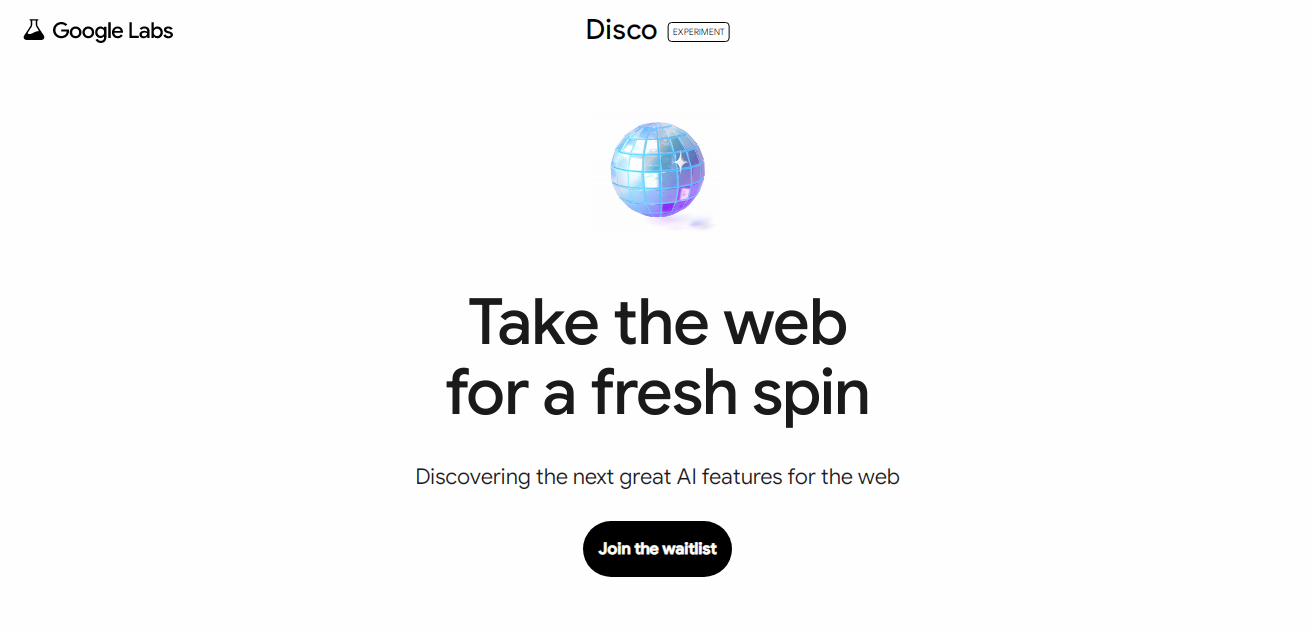
You can apply to join the waitlist from here
Built on Chromium (the same foundation as Google Chrome), Disco isn’t replacing traditional browsers but rather testing new ways to interact with online content. The experimental browser fundamentally assumes that most real work happens across multiple pages simultaneously - whether you’re researching, planning, or learning.
How it changes the way we browse
Disco introduces a amazing shift from passive browsing to active creation through its central feature called GenTabs. Instead of manually managing dozens of tabs and mentally synthesizing information yourself, Disco offloads that synthesis to AI.
The browser works by analyzing your open tabs and chat history to understand what you’re trying to accomplish. From there, it creates customized, interactive web applications to help complete your specific task - all without requiring you to write a single line of code.
This shift represents a move from simply consuming pages to temporarily creating software that serves your immediate needs. For instance, if you’re planning a trip to Japan, Disco can generate an interactive map with attractions, an itinerary builder, and other relevant tools - all in one interface.
Why it’s different from Google Discover
Though the names sound similar, Disco and Discover serve entirely different purposes. Google Discover is a personalized content feed that proactively suggests articles, videos, and other content based on your interests and browsing history. It appears in the Google app and on Google.com on mobile browsers as a queryless experience - you don’t need to search for anything to see content.
Conversely, Disco isn’t about passive content consumption but rather active task completion. While Discover shows you content you might like based on your interests, Disco helps you create tools to accomplish specific goals. Moreover, Disco doesn’t remove websites from the equation - it reorganizes how you interact with them, keeping links and source attribution intact.
How GenTabs help you build web apps
The heart of Google Disco lies in its revolutionary GenTabs feature, which addresses the common frustration of “tab fatigue”—that overwhelming feeling when you’re juggling dozens of open tabs while researching or planning. GenTabs represent a fundamental shift in how we use browsers, turning passive consumption into active creation.
From tabs to tools: the GenTab concept
GenTabs are not standard web pages hosted on servers. Instead, they’re temporary, single-page applications generated on demand by AI to solve your immediate problems. The workflow begins when you browse naturally, opening multiple tabs related to a specific task. Subsequently, you prompt the system to create a custom application based on those tabs. Consequently, Gemini analyzes data across your open tabs and generates an interactive dashboard tailored to your needs.
Using natural language to create apps
Creating applications with GenTabs requires no coding knowledge whatsoever. You simply describe the tool you need in natural language, such as “Create a trip planner for Osaka based on these tabs”. Furthermore, after the initial creation, you can continue refining your app through additional conversational prompts. This back-and-forth collaboration ensures the final result perfectly matches your requirements.
No-code app creation for everyday users
This approach transforms browsing from merely reading into actively orchestrating content. Primarily, it represents Google’s vision of evolving web browsing from page consumption into temporary software creation. The underlying technology—Gemini 3—powers this experience by merging content from open tabs and previous chats into dynamic, task-focused applications.
Examples of GenTabs you can try
Early testers have already found numerous practical applications for GenTabs:
-
Trip planning: Converting travel blogs and booking sites into interactive itineraries with maps, timelines, and budget calculators
-
Academic research: Generating 3D models to visualize complex concepts from scientific papers
-
Meal planning: Creating weekly meal plans from recipe websites
-
Educational dashboards: Building interactive models for learning (like solar system simulations)
The applications remain grounded in the web, with generated elements linking back to original sources for proper attribution.
What you can do with Google Disco
What truly sets Google Disco apart is its practical versatility. Let’s explore how this innovative browser can streamline your daily online activities through its ability to create custom web applications.
Plan a trip with all your info in one place
Imagine planning a vacation with scattered tabs for flights, hotels, attractions, and restaurant reviews. Google Disco transforms this chaos into an organized experience. Through GenTabs, the browser generates an interactive travel planner that includes location information, integrated Google Maps, calendar sync, and an itinerary builder that displays pins of all your destinations. For winter trip planning, your GenTab might feature comprehensive area maps, calendar integration, and route visualization—all within a single cohesive interface.
Create a weekly meal planner
Meal planning typically requires juggling multiple recipe sites, nutrition facts, and shopping lists. Disco simplifies this process by creating a structured weekly meal planner from your open tabs. In one example, a user prepared a seven-day meal plan focused on cholesterol management. The resulting GenTab displayed days of the week that, when clicked, showed appropriate breakfast, lunch, and dinner options. Beyond basic scheduling, these meal planners can include nutrition summaries and shopping lists—all generated automatically.
Study smarter with interactive dashboards
Students facing complex subjects can benefit immensely from Disco’s visualization capabilities. By opening tabs related to a specific topic, users can prompt the browser to generate visual study applications complete with flashcards, definitions, and diagrams. For educational purposes,Disco can even create interactive models—like solar system simulations—to help elementary students grasp astronomical concepts.
Track business data without spreadsheets
Product managers and business professionals often struggle with organizing competitive research across multiple sources. Disco excels at synthesizing business information without complex spreadsheet work. By analyzing tabs containing product pages, pricing comparisons, and industry reports, the browser can generate interactive dashboards that compare prices, features, and market positioning. These business applications might include ROI calculators, competitive pricing monitors, and SEO audit tools.
Things to know before using Disco
Despite its impressive capabilities, the Google Disco browser comes with important considerations you should understand prior to diving in. As an experimental tool, it requires careful attention to several key aspects.
Privacy and data access concerns
When using the Disco app, your activity—including AI chats and browsing history—is sent to Google and logged. According to Google’s policies, your personal information may be stored primarily in Canada and the United States. Importantly, while you can withdraw consent by deleting your account, some data may be retained for legal obligations, dispute resolution, or fraud prevention. For security-conscious users, it’s worth noting that Gemini must process your open tabs’ contents to generate applications.
Current limitations of the platform
The Google Disco browser is currently in an experimental phase with several constraints:
-
Available exclusively for macOS users initially
-
Subject to occasional bugs and crashes as expected with prototype software
-
Functions as a research vehicle rather than a finalized product
Google clearly labels Disco as an “AI prototype,” meaning not everything will work perfectly. The experimental nature also means features and availability may change rapidly as Google evaluates usage patterns.
How to sign up and get early access
To try Google Disco, you’ll need to join the waitlist at labs.google/disco. The signup process involves responding to several questions, typically about your previous AI tool usage. Generally, approved testers may also receive opportunities to test future Disco features. Although there’s no guaranteed method to skip the line, being active in other Google Labs experiments might signal you’re an engaged tester.
Conclusion
Google Disco represents a significant evolution in our relationship with web browsers. Throughout this article, we’ve seen how this experimental tool transforms passive browsing into active creation through GenTabs. Rather than drowning in dozens of open tabs, users can now generate custom web applications that synthesize information from multiple sources into cohesive, interactive tools.
The practical applications certainly extend beyond what we’ve covered. Trip planning becomes streamlined with integrated maps and itineraries. Meal planning transforms into organized weekly schedules with nutrition information. Students benefit from interactive study dashboards that visualize complex concepts. Business professionals can track competitive data without complicated spreadsheets.
Nevertheless, Google Disco remains an experimental platform with important limitations. Currently available only for macOS users, this AI prototype comes with privacy considerations since your browsing activity and AI interactions are sent to Google. Despite these constraints, the potential benefits make joining the waitlist worthwhile for many users.
Undoubtedly, Disco signals a fundamental shift in browser functionality. The ability to create functional web applications through simple natural language prompts democratizes software creation in ways previously unimaginable. Google’s vision of evolving browsers from passive content consumption to active tool creation might well represent the future of web interaction.
Though still in its early stages, Google Disco offers a glimpse into how AI might reshape our digital workflows. The next time you find yourself overwhelmed by too many open tabs while researching or planning, remember that tools like Disco aim to simplify these complex online tasks. As this technology matures, we may soon consider the traditional browsing experience as limited as we now view dial-up internet connections.
FAQs
-
What is Google Disco and how does it differ from traditional web browsing?
Google Disco is an experimental AI-powered browser that transforms passive web browsing into active creation. Unlike traditional browsers, Disco uses AI to analyze your open tabs and generate custom, interactive web applications called GenTabs to help you complete complex online tasks more efficiently.
-
How do GenTabs work in Google Disco?
GenTabs are AI-generated, temporary web applications created based on your open tabs and chat history. You can describe the tool you need in natural language, and Disco’s AI will create a custom application to help you complete your task, all without requiring any coding knowledge.
-
What are some practical applications of Google Disco?
Google Disco can be used for various tasks such as creating interactive travel planners, weekly meal schedules with nutrition information, study dashboards with visual aids, and business data tracking tools. It simplifies complex online activities by organizing information from multiple sources into a single, user-friendly interface.
-
Are there any privacy concerns with using Google Disco?
Yes, there are privacy considerations. When using Disco, your activity, including AI chats and browsing history, is sent to and logged by Google. Your personal information may be stored in Canada and the United States, and some data might be retained even after account deletion for legal or security purposes.
-
How can I get access to Google Disco?
To try Google Disco, you need to join the waitlist at labs.google/disco. The signup process involves answering questions about your previous AI tool usage. Currently, it’s only available for macOS users and is in an experimental phase, so features and availability may change rapidly.
All this information is Open-Source and can be slightly Up or Down and also avaliable at Google’s Disco’s official site, you can also get more deeper information from here.
Frequently Asked Questions
What is Google Disco and how does it differ from traditional web browsing?
Google Disco is an experimental AI-powered browser that transforms passive web browsing into active creation. Unlike traditional browsers, Disco uses AI to analyze your open tabs and generate custom, interactive web applications called GenTabs to help you complete complex online tasks more efficiently.
How do GenTabs work in Google Disco?
GenTabs are AI-generated, temporary web applications created based on your open tabs and chat history. You can describe the tool you need in natural language, and Disco’s AI will create a custom application to help you complete your task, all without requiring any coding knowledge.
What are some practical applications of Google Disco?
Google Disco can be used for various tasks such as creating interactive travel planners, weekly meal schedules with nutrition information, study dashboards with visual aids, and business data tracking tools. It simplifies complex online activities by organizing information from multiple sources into a single, user-friendly interface.
Are there any privacy concerns with using Google Disco?
Yes, there are privacy considerations. When using Disco, your activity, including AI chats and browsing history, is sent to and logged by Google. Your personal information may be stored in Canada and the United States, and some data might be retained even after account deletion for legal or security purposes.
How can I get access to Google Disco?
To try Google Disco, you need to join the waitlist at labs.google/disco. The signup process involves answering questions about your previous AI tool usage. Currently, it’s only available for macOS users and is in an experimental phase, so features and availability may change rapidly.