Antigravity transforms coding by enabling you to build complete apps with just one sentence. Today, we’re diving into Google’s newest agentic development platform that’s changing how developers work. Google Antigravity combines four essential elements of collaborative development: trust, autonomy, feedback, and self-improvement.
With the power of Gemini 3 models, Google Antigravity IDE offers extended periods of autonomous operation across multiple surfaces without human intervention. For example, you can create your first application using a single prompt, make real-time changes through screenshots, and optimize your development workflow. The best part? Google Antigravity is available at no charge for individuals and works seamlessly across MacOS, Linux, and Windows platforms. In this article, we’ll explore the real-world performance benchmarks of this revolutionary IDE, examine its standout features, and guide you through the process of building your own applications with antigravity download.
Getting Started with Google Antigravity IDE
Getting started with Google Antigravity IDE begins with a straightforward download process. Currently available as a preview for personal Gmail accounts, Antigravity comes with free quotas for premier model usage. To begin with, visit the official download page at antigravity.google/download to access the appropriate installer for your system.
Antigravity Download and Installation Process
The installation procedure varies slightly depending on your operating system. For macOS users, download the appropriate version—either Apple Silicon or Intel—then drag the application to your Applications folder. Windows users can choose between x64 and ARM64 versions before running the installer. Linux users have multiple options including.deb packages or AppImage files which can be installed using standard package managers or run directly after making them executable.
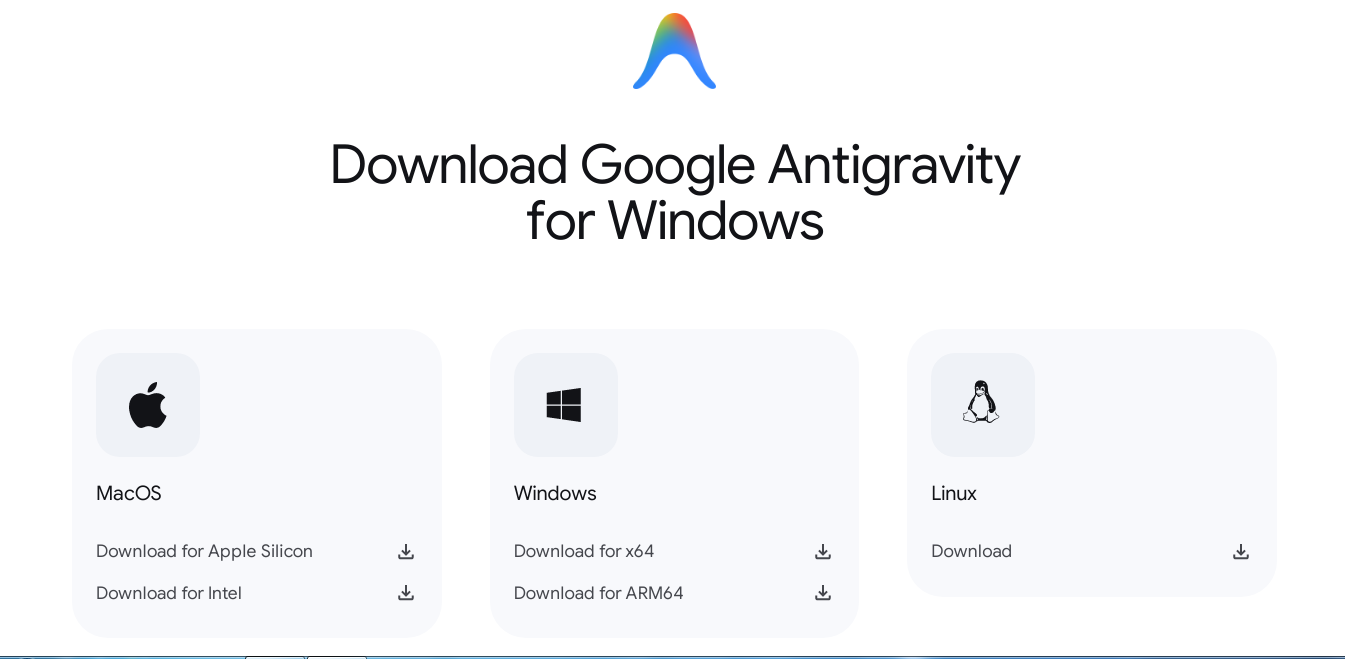
You can download the Google’s Anti Gravity from here
Following installation, launch Antigravity and proceed through the setup wizard. The application guides you through several configuration steps, asking you to click “Next” at each stage. During this process, you’ll be prompted to sign in with your Google account. Since Antigravity is currently in preview mode, authentication requires a personal Gmail account.
Initial Setup and Workspace Configuration
After signing in, you’ll face several important configuration choices. First, decide whether to import settings from existing VS Code or Cursor installations or start fresh. Next, select your preferred editor theme—dark or light based on your visual preference.
One crucial decision involves configuring how you want to use the Antigravity agent. The system offers three primary development modes :
-
Agent-driven development: The “autopilot” option where AI writes code and runs commands automatically
-
Review-driven development: AI requests permission before performing actions
-
Agent-assisted development: You maintain control while AI provides safe automation support
Additionally, you’ll need to configure the Terminal Policy, typically set to “Auto” by default, allowing standard commands to run without prompting. After completing these steps, you’ll select your preferred AI model, with Gemini 3 Pro being the recommended option.
Supported Platforms and System Requirements
Google Antigravity supports all major desktop platforms with specific system requirements. For Windows users, you’ll need 64-bit Windows 10 or later. Mac users require macOS Monterey (version 12) or newer, with separate versions available for both Intel and Apple Silicon architectures. Linux compatibility requires glibc 2.28 or later and glibcxx 3.4.25 or newer, which corresponds to distributions like Ubuntu 20.04+, Debian 11+, Fedora 36+, and RHEL 8+.
The cross-platform nature of Antigravity ensures accessibility regardless of your development environment preferences, though each platform has its own minimum specifications to ensure optimal performance.
Building Projects with Google Antigravity AI
Once you’ve set up Google Antigravity IDE, creating your first application becomes remarkably straightforward. The platform shifts development from manual editing to high-level task delegation where you describe what you want, and the agent handles planning, coding, debugging, and verification.
Using One-Sentence Prompts to Generate Code
Google Antigravity AI enables you to build complete applications with minimal input. Initially, select between “Planning mode” or “Fast mode” in the agent side panel. Planning mode creates an implementation plan and task list before writing code, whereas Fast mode jumps directly into coding. For best results, use focused, goal-based prompts like “Create a todo list web app using Python” or “Build a fully functional snake game with Pygame.”
The agent subsequently produces an implementation plan outlining the tech stack and proposed changes. This represents your first opportunity for feedback - you can add Google-docs-style comments to modify the approach. For instance, if the agent suggests using Flask, you might comment to use FastAPI instead. After approving the implementation plan, Antigravity generates a concrete task list with specific steps to follow.
Live Preview and Screenshot-Based Editing
Notably, Antigravity creates tangible “Artifacts” throughout the development process, including:
-
Implementation plans and task lists (before coding)
-
Code diffs (during development)
-
Screenshots and browser recordings (for verification)
-
Walkthroughs (after completion)
These artifacts allow you to provide feedback at any stage. After generating code, Antigravity launches a browser to test the application, capturing screenshots and recordings to verify functionality. You can add comments on specific sections of code or screenshots to request changes, such as “Add basic comments to all methods.”
Creating a Personal Tutor or Quiz App
Educational applications showcase Antigravity’s capabilities especially well. To create a Spanish tutor app, simply prompt: “Build a personal tutor for learning Spanish.” The agent autonomously generates all necessary HTML, CSS, and logic files, then opens a live browser preview to demonstrate the application functioning. The tutor app will feature interactive elements, conversational interfaces, and appropriate educational content - all from a single prompt.
The entire process operates within one unified experience, eliminating the constant context switching traditionally required between editor, terminal, and browser environments.
Advanced Features for Agentic Development
Beyond basic app creation, Google Antigravity’s agent-first architecture unlocks powerful workflows for experienced developers. These advanced capabilities significantly enhance productivity and streamline the development process.
Using the Agent Manager for Background Tasks
The Agent Manager serves as mission control for your AI workforce, allowing you to spawn and orchestrate multiple agents across different workspaces simultaneously. Unlike traditional single-chat windows, this three-column interface displays your project workspaces on the left, an “Inbox” for tracking conversations in the middle, and the main work area on the right.
This architecture enables true multitasking. For instance, you can dispatch one agent to research a library in the background while another implements a new feature. Each task becomes its own conversation thread with status indicators like “Idle,” “Running,” or “Blocked” – particularly useful when an agent needs your input before proceeding. Furthermore, you can set different Review Policies to control agent autonomy, from “Always Proceed” to “Request Review” for every major step.
Providing Feedback on Artifacts with Comments
Antigravity introduces a unique approach to agent-human collaboration through “Artifacts” – tangible deliverables like implementation plans, screenshots, and browser recordings. The key innovation is Google-docs-style commenting directly on these artifacts. Simply highlight a section of code or part of a screenshot, add your comment, and the agent incorporates this feedback without stopping its workflow.
Knowledge Base Learning from Past Tasks
Moreover, Antigravity treats learning as a core feature through its Knowledge Items system. As you work with the IDE, it automatically captures important insights, patterns, and solutions into persistent memory. Each Knowledge Item contains a title, summary, and related artifacts that agents can reference in future sessions. In practice, this means the system becomes increasingly tailored to your preferences and coding patterns over time.
Performance and Usability Benchmarks
Performance metrics reveal Google Antigravity’s capabilities across various development scenarios. Let’s examine how it stacks up against other IDEs and traditional development workflows.
Real-Time Code Generation Speed with Gemini 3
Gemini 3 Pro powers Antigravity with exceptional performance, achieving a groundbreaking score of 1501 Elo on the LMArena Leaderboard. This translates to tangible speed advantages in daily coding tasks. The model scores 76.2% on SWE-bench Verified, establishing a new standard for coding agents. For terminal operations, it achieves 54.2% on Terminal-Bench 2.0, outperforming competitors. These benchmarks reflect Antigravity’s ability to maintain consistent tool usage throughout development cycles.
Task Completion Time in Multi-Agent Mode
In practical terms, Antigravity completes a standard Next.js + Supabase feature in just 42 seconds compared to 68 seconds with other AI-powered IDEs. This 38% speed advantage accumulates rapidly across daily development tasks. Consequently, codebase navigation across repositories with 100K+ lines resolves queries 40% faster. Antigravity’s architecture supports running up to 8 parallel agents simultaneously in isolated workspaces , effectively multiplying productivity.
Comparison with Traditional IDEs
Whereas traditional development requires manual code writing and constant switching between editor, terminal, and browser, Antigravity coordinates these changes automatically. Its refactoring accuracy hits 94% versus 78% for competitors. Yet, the most significant difference lies in workflow transformation – rather than writing code manually and debugging with breakpoints, developers delegate implementation tasks to agents that handle verification during execution.
Conclusion
Google Antigravity stands as a revolutionary shift in the development landscape, fundamentally changing how we approach coding tasks. Throughout this article, we explored how this agentic IDE enables developers to create complete applications with minimal input while maintaining full control over the development process.
Above all, the numbers speak for themselves. Antigravity completes standard development tasks 38% faster than competing AI-powered IDEs, achieves 94% accuracy in refactoring operations, and scores an impressive 76.2% on SWE-bench Verified benchmarks. These performance gains translate to real productivity improvements for everyday coding tasks.
Additionally, the platform’s multi-agent architecture allows up to eight agents working simultaneously across isolated workspaces, effectively multiplying your productivity. This capability, coupled with the artifact-based feedback system, creates a development environment that learns and adapts to your preferences over time.
What sets Antigravity apart from traditional IDEs, however, is not merely speed or efficiency but rather the fundamental workflow transformation it enables. Instead of manually writing code line-by-line and constantly switching between editor, terminal, and browser, developers can now delegate implementation tasks while focusing on higher-level design decisions.
Equally important, Antigravity remains accessible to all developers. The platform works seamlessly across MacOS, Linux, and Windows environments and comes at no charge for individual users. This accessibility, combined with the powerful Gemini 3 Pro model capabilities, democratizes AI-assisted development for coders at every skill level.
As we look toward the future of software development, Google Antigravity represents a significant step forward in human-AI collaboration. The platform transforms coding from a manual, detail-oriented process into a high-level, goal-driven activity where developers articulate what they want to build, and intelligent agents handle the implementation details. Undoubtedly, this amazing shift will continue to reshape how we think about and approach software development in the coming years.
FAQs
-
What is Google Antigravity and how does it differ from traditional IDEs?
Google Antigravity is an AI-powered development platform that allows developers to build complete applications using simple prompts. Unlike traditional IDEs, it uses AI agents to handle coding tasks, enabling developers to focus on high-level design decisions rather than manual coding.
-
How can I get started with Google Antigravity?
You can download Google Antigravity from the official website. It’s available for Windows, macOS, and Linux. After installation, you’ll need to sign in with a personal Gmail account and go through an initial setup process to configure your workspace and AI preferences.
-
What are the key features of Google Antigravity?
Key features include one-sentence prompts for code generation, live preview and screenshot-based editing, multi-agent task management, and a knowledge base that learns from past tasks. It also offers real-time code generation using Gemini 3 Pro and supports parallel development with up to 8 agents.
-
How does Google Antigravity improve development speed?
Google Antigravity completes standard development tasks 38% faster than other AI-powered IDEs. It achieves this through rapid code generation, automated task handling, and the ability to run multiple agents simultaneously across different workspaces.
-
Is Google Antigravity suitable for both beginners and experienced developers?
Yes, Google Antigravity is designed to be accessible for developers of all skill levels. Beginners can benefit from its ability to generate code from simple prompts, while experienced developers can leverage its advanced features like multi-agent task management and knowledge base learning for complex projects.
All this information is Open-Source and also avaliable at Anti Gravity’s official site, you can also get more deeper information from here.
Frequently Asked Questions
What is Google Antigravity and how does it differ from traditional IDEs?
Google Antigravity is an AI-powered development platform that allows developers to build complete applications using simple prompts. Unlike traditional IDEs, it uses AI agents to handle coding tasks, enabling developers to focus on high-level design decisions rather than manual coding.
How can I get started with Google Antigravity?
You can download Google Antigravity from the official website. It’s available for Windows, macOS, and Linux. After installation, you’ll need to sign in with a personal Gmail account and go through an initial setup process to configure your workspace and AI preferences.
What are the key features of Google Antigravity?
Key features include one-sentence prompts for code generation, live preview and screenshot-based editing, multi-agent task management, and a knowledge base that learns from past tasks. It also offers real-time code generation using Gemini 3 Pro and supports parallel development with up to 8 agents.
How does Google Antigravity improve development speed?
Google Antigravity completes standard development tasks 38% faster than other AI-powered IDEs. It achieves this through rapid code generation, automated task handling, and the ability to run multiple agents simultaneously across different workspaces.
Is Google Antigravity suitable for both beginners and experienced developers?
Yes, Google Antigravity is designed to be accessible for developers of all skill levels. Beginners can benefit from its ability to generate code from simple prompts, while experienced developers can leverage its advanced features like multi-agent task management and knowledge base learning for complex projects.