Google’s Nano Banana Pro AI image generator has revolutionized the way we create realistic images. It is being potraited as “The Best AI image generation tool” which is definitely true, hands down. The pro version leverages Gemini 3’s reasoning model to deliver results that are grounded in reality in a way that competitors like Midjourney and OpenAI clearly aren’t.
What makes Nano Banana Pro truly exceptional is its ability to create and edit images more effectively than other AI tools. When using Nano Banana Pro, you’ll notice images routinely reach about 2K resolution, a significant upgrade from previous versions. Additionally, the tool excels at realism, generating images that feel authentic rather than obviously AI-created.
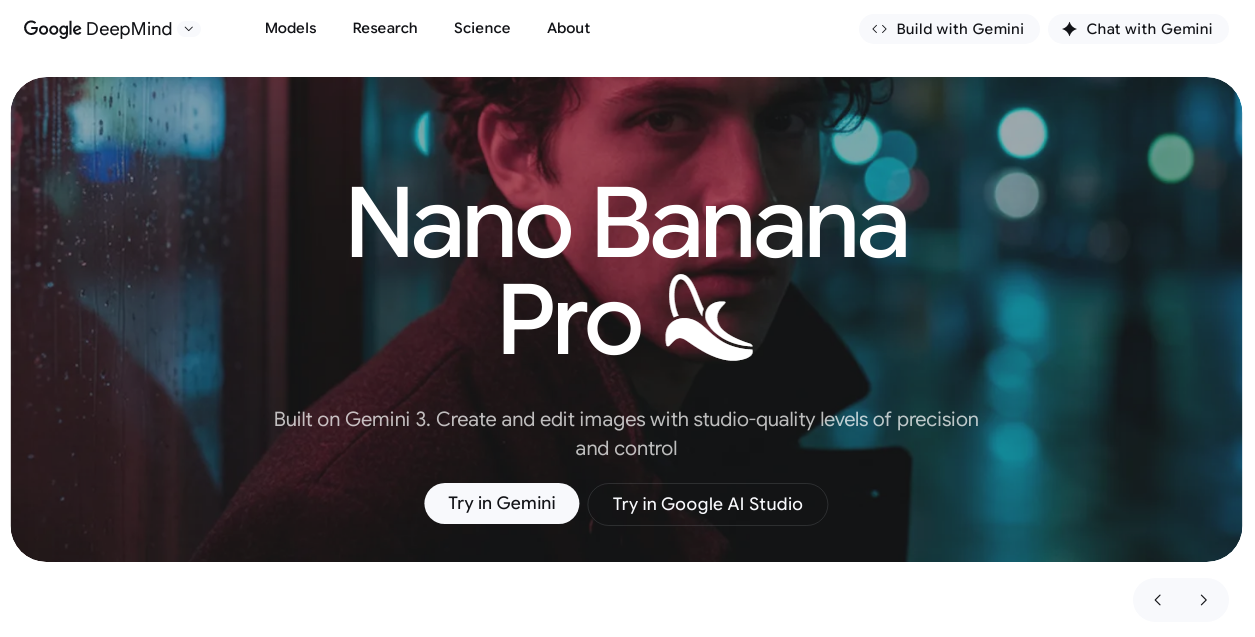
You can try Nano Banana Pro(Gemini 3 Pro Image) in Gemini and also in Google AI Studio.
In this article, I’ll explore what makes Google’s Nano Banana Pro stand out, how it compares to the standard version, and what you can actually accomplish with this powerful AI image generation tool. Whether you’re a designer, content creator, or just curious about the latest in AI technology, you’ll discover why Nano Banana Pro images automatically generate as 16:9 landscape images and how this tool might change your creative workflow.
How Realistic Are Nano Banana Pro Images?
The realism of Nano Banana Pro images pushes the boundaries of what’s possible with AI-generated visuals. Built on Google’s Gemini 3 Pro Image foundation, this tool creates images with a distinctly authentic feel that many users describe as looking like “casual phone photos” rather than polished AI art.
Prompt Matching Accuracy in Gemini 3 Nano Banana Pro
Nano Banana Pro excels at understanding your creative intent. Consequently, the images it generates match your prompts with remarkable precision. The model doesn’t just create beautiful images—it thinks before rendering. This reasoning capability means when you request a specific scene, Gemini 3 Pro AI Image Generator considers context, spatial relationships, composition, and style to generate images that fulfill your vision.
What makes gemini 3 nano banana pro stand out is its ability to maintain consistency. When prompted to create multiple images featuring the same character or product, it reliably preserves key visual elements across outputs. Furthermore, for creative projects requiring precise details, this consistency is invaluable.
Skin Texture and Lighting Realism in Portraits
One area where nano banana ai truly shines is portrait generation. The images display:
-
Realistic skin textures with natural pores and micro-details
-
Natural imperfections that make skin look genuine, not plastic
-
Accurate lighting that matches the environment
-
Hair strands with realistic volume and movement
The model captures what many describe as the “messy reality” of actual photography—specifically, the imperfections, awkward lighting, and natural elements that make photos look authentic. Indeed, many users note that google nano banana images resemble random photos from a Google Drive or Android gallery rather than polished studio shots.
This realism is so convincing that it has sparked debates about privacy, with some users speculating (incorrectly) that the model might have been trained on private photo datasets. The truth is simpler—Nano Banana Pro has mastered what’s called “contextual accuracy,” integrating subjects into environments with better texture matching and lighting consistency.
16:9 Default Aspect Ratio and Customization Options
All nano banana gemini images automatically generate in a 16:9 landscape format. Nonetheless, the Pro version offers significant improvements in aspect ratio flexibility. Users can adjust images to fit various platforms and needs using the model’s studio-quality creative controls.
To change the aspect ratio, simply prompt with instructions like: “change aspect ratio to 1:1 by reducing background”. The model will maintain the subject’s position while adjusting the composition. This capability makes Nano Banana Pro suitable for various applications—from social media posts to print materials.
The Pro version supports multiple aspect ratios and high-resolution (2K/4K) output , a significant upgrade from earlier versions. These high-resolution capabilities make the generated images usable in professional contexts like printing, e-commerce, and detailed artwork. Despite these advances, some users report that higher resolution outputs occasionally appear slightly blurrier than expected.
Editing Capabilities in Nano Banana Pro
Beyond just creating images, nano banana pro delivers professional-grade editing capabilities that set it apart from typical AI image generators. Let me walk you through what this tool can actually do with your visuals.
Background Replacement with Stadium-Level Accuracy
The background replacement in nano banana ai is remarkably precise. During testing, users found that when prompted to “Remove the background from this image and place the subject on a modern gradient background with soft lighting,” the tool completely removed green screens with clean edge detection around subjects and equipment.
What’s impressive here is how the tool handles the fine details. In practical tests, it successfully separated subjects from backgrounds without leaving any green spill or awkward edges around hair, microphones, and other objects. For content creators, this means you can skip hours of manual keying work for thumbnails and still images.
Want a professional white background? Simply ask for “a white background with a radial center mix of white and warm color(or any other color that you want)” and google nano banana delivers results comparable to professional product photography or corporate headshot backgrounds.
Facial Lighting Adjustments in Headshots
Lighting control is where nano banana gemini truly excels. You can transform a daytime scene into night with a simple prompt like “Turn this scene into nighttime.” Moreover, you can apply sophisticated lighting effects that would normally require studio equipment and expertise.
The tool offers several lighting capabilities:-
-
Dramatic chiaroscuro effects with directional lighting
-
Day-to-night scene transformations
-
Focused illumination on specific facial features
-
Bokeh and depth-of-field adjustments
For portrait enhancement, you can request subtle improvements like “smoothing skin, brightening eyes, whitening teeth, and adding soft cinematic lighting.” Uniquely, the system maintains natural textures while avoiding the “plastic” look that plagues many AI editing tools.
Combining Multiple Reference Images
Gemini 3 nano banana pro takes image blending to new heights by allowing you to combine up to 14 reference images in a single composition. This capability is particularly valuable for maintaining character consistency across multiple images—essential for brands, storyboards, or visual narratives.
The model interprets visual intent alongside text instructions, effectively understanding what you want to create based on multiple reference points. For instance, you could blend product images with environmental backgrounds or combine different visual elements into cohesive layouts for mockups and concept designs.
This blending capability works exceptionally well for maintaining the consistency and resemblance of up to 5 characters, even when they appear together in a group. Generally, the tool preserves facial features, clothing details, and overall esthetic across multiple generations.
Reflection Removal and Detail Preservation
One standout feature in nano banana pro is its ability to handle reflections in images. Although this isn’t generative AI (it doesn’t create new elements), the tool effectively separates the true scene from unwanted reflections when photographing through glass or other transparent materials.
The reflection removal works by disentangling two images: the scene you want to photograph and the reflected view behind you. Practically, this means you can salvage photos that would otherwise be ruined by window reflections or glass display cases.
For photographers and content creators, this feature saves countless hours of trying to manually remove reflections in photo editing software. Significantly, the tool preserves fine details and structural elements in the original image, ensuring the result looks natural rather than artificially modified.
Common Limitations and AI Hallucinations
Despite its impressive capabilities, nano banana comes with several limitations you should be aware of when using this AI tool. Let’s examine where this powerful AI image generator sometimes falls short.
Incorrect Infographic Data in Product Visuals
One of the most concerning issues with nano banana pro is its tendency to fabricate information in data-driven visuals. My testing revealed that when creating infographics or product comparisons, the AI often invents statistics and specifications that look completely plausible but are entirely false.
For example, when asked to create iPhone comparison infographics, the AI couldn’t correctly render what the back of any iPhone 17 looked like, instead producing images resembling earlier mock-ups. Even after being explicitly directed to use information from a specific source, the AI still created visualizations filled with inaccurate data.
This problem is especially dangerous because:
-
The fabricated data appears visually convincing
-
Without subject expertise, you might not notice the errors
-
The incorrect information could be shared as factual
Google acknowledges this limitation, advising users to “always verify the factual accuracy of data-driven visuals like diagrams and infographics”.
Inconsistent Character Rendering in Group Images
If you’re creating multiple images featuring the same characters, nano banana gemini sometimes struggles with consistency. In group scenes particularly, characters may display subtle changes in facial features or other identifying elements between generations.
This issue becomes especially noticeable when trying to create a series of images for a project that requires visual continuity. As noted by users, the tool “fails to maintain 100% consistency with the original photo” across multiple edits.
Aspect Ratio Reversion in Original Model
A persistent frustration with google nano banana involves aspect ratio handling. The original model frequently ignores requested aspect ratios, defaulting to square (1:1) images regardless of specifications. This issue occurs most commonly when:
-
No strong visual reference exists
-
Aspect ratio is only mentioned in text
-
The model tries to stay “safe” with standard sizes
Many users report that even after successful edits, the image often appears “stretched,” “squished,” or “shifted in space” compared to the original. Understandably, this makes blending generated elements with existing images difficult.
Blurring Issues in High-Resolution Outputs
While gemini 3 nano banana pro can generate higher-resolution images, these outputs occasionally suffer from quality issues. Users report that high-resolution images (2K/4K) sometimes appear blurrier than expected.
First, the tool struggles with rendering small text and fine details accurately. Second, after multiple edits, image quality tends to degrade noticeably. As one user explained, images become “both overly smoothed and weirdly dithered at the same time” after just a few sequential edits.
This quality degradation is especially problematic with the reflection removal feature. Although nano banana ai can remove reflections more effectively than the original model, “it still compromised the fine details and distorted the faces” in the process.
The conversational editing flow, though convenient, becomes less useful when “your image starts getting worse after each edit” , forcing you to start over rather than iteratively improve your creation.
Nano Banana vs Nano Banana Pro: Key Differences
Looking at the fundamental differences between nano banana and its Pro version reveals why many creators are upgrading their AI image toolkit. The gap between these models goes far beyond simple branding.
Text Generation Accuracy in Infographics
Nano banana pro dramatically outperforms the original model in text rendering capabilities. In direct comparisons, the Pro version scored an excellent 10/10 for prompt adherence versus the standard model’s mediocre 6.5/10. This difference becomes immediately apparent in infographics and designs with text elements.
The original nano banana ai struggles with:
-
Complex sentences (often creating gibberish)
-
Perspective text on products or posters
-
Multiple lines of text in a single image
Conversely, the Pro version handles text as a “first-class element,” making it ideal for creating mockups, product packaging, and UI designs where text legibility is crucial. Additionally, it supports multilingual text generation, allowing you to create content in various languages.
Image Resolution: 720p vs 2K Output
Resolution represents another significant leap forward. The standard google nano banana typically delivers images at approximately 720p resolution. In contrast, nano banana pro routinely produces 2K images with options for 4K output.
This resolution difference transforms what you can actually do with the generated images:
Standard version (720p/1K):
-
Suitable for social media posts and quick drafts
-
Often requires external upscaling
-
Struggles with micro-textures and fine details
Pro version (2K/4K):
-
Print-ready quality for professional use
-
Sharp edges and cleaner textures
-
Suitable for large displays and presentations
Speed Comparison: 30s vs 120s Generation Time
Higher quality comes with a processing time trade-off. The original nano banana gemini prioritizes speed, making it better for rapid ideation and concept exploration. Meanwhile, the Pro version takes approximately four times longer but delivers significantly enhanced outputs.
This speed difference reflects their intended use cases. If you need quick visualizations for internal brainstorming, the standard model works fine. For client-facing work requiring polish, the Pro version’s additional processing time yields substantially better results.
Editing Control and Prompt Flexibility
Gemini 3 nano banana pro offers vastly improved creative controls. Unlike the standard model’s basic editing capabilities, Pro provides:
-
Advanced lighting adjustments and camera angle controls
-
Color grading options for professional-looking outputs
-
The ability to blend up to 16 reference images (versus just 3 in the standard version)
-
Stronger character consistency for up to 5 people (compared to 2 in the original)
For practical creative workflows, this means you’ll spend less time regenerating images and more time refining your vision. The Pro version essentially functions as a visual reasoning engine that understands complex instructions and maintains context across multiple edits.
AI Watermarking and Trust in Generated Images
Ever wondered if you can trust what you’re seeing from nano banana? Trust in AI-generated images has become a critical concern, primarily as these tools get better at creating realistic visuals.
SynthID Invisible Watermark Detection
Every image created with nano banana pro contains SynthID—Google’s imperceptible digital watermark. Unlike visible marks, SynthID embeds itself directly into image pixels , remaining invisible to human eyes yet detectable by specialized software. Remarkably, this technology has already watermarked over 10 billion pieces of content.
To verify if an image came from google nano banana, simply:
-
Upload it to the Gemini app
-
Ask: “Was this generated by Google AI?”
-
The app detects the embedded SynthID watermark
Limitations of Visual Watermark Removal
Nano banana gemini also applies a visible “Gemini sparkle” watermark in the corner of images. Yet this visible mark can easily be cropped out.
The invisible SynthID watermark, meanwhile, survives common modifications including:
-
Cropping and resizing
-
Adding filters
-
Compression
Gemini’s AI Policy on Uploaded Content
For professional work requiring clean visuals, gemini 3 nano banana pro removes visible watermarks for Google AI Ultra subscribers. Interestingly, these premium-tier images still retain invisible SynthID watermarking.
Given that watermarking techniques aren’t standardized across AI systems, verification only works within Google’s ecosystem—SynthID can’t identify images from non-Google models.
Conclusion
Google’s Nano Banana Pro clearly stands as a significant leap forward in AI image generation technology. Throughout this article, we’ve seen how it creates stunningly realistic images that often resemble casual phone photos rather than AI-generated art. This level of authenticity sets it apart from competitors and opens new creative possibilities for designers and content creators alike.
The Pro version’s editing capabilities truly shine when compared to the standard model. Background replacement, lighting adjustments, and reflection removal work with remarkable precision, saving you hours of manual editing work. Additionally, the ability to combine multiple reference images gives you unprecedented control over your visual creations.
Still, Nano Banana Pro isn’t without limitations. The tool sometimes generates incorrect data in infographics, struggles with consistent character rendering in group images, and occasionally produces blurry results at higher resolutions. Therefore, you should always verify any data-driven visuals it creates.
When weighing Nano Banana against Nano Banana Pro, the differences become obvious. Text generation accuracy, image resolution, editing control, and prompt flexibility all significantly improve with the Pro version, albeit with longer generation times. Essentially, you’re trading speed for quality—a worthwhile exchange for professional-grade results.
The inclusion of SynthID watermarking technology addresses growing concerns about AI-generated content. Although visible watermarks can be removed, the invisible embedding remains, helping maintain trust in an increasingly AI-populated visual landscape.
Ultimately, Nano Banana Pro represents the current pinnacle of accessible AI image generation. Whether you need realistic portraits, professional-quality edits, or creative concept visualization, this tool delivers results that were unimaginable just a few years ago. As AI technology continues to advance, we can expect even more impressive capabilities—but for now, Nano Banana Pro gives you a remarkably powerful creative tool that balances quality with usability.
FAQs
-
What makes Nano Banana Pro different from other AI image generators?
Nano Banana Pro stands out for its ability to create highly realistic images that often resemble casual phone photos rather than AI-generated art. It excels in prompt matching accuracy, skin texture realism, and advanced editing capabilities like background replacement and lighting adjustments.
-
Can Nano Banana Pro generate high-resolution images?
Yes, Nano Banana Pro routinely produces 2K resolution images with options for 4K output. This is a significant upgrade from the standard version, which typically delivers images at around 720p resolution.
-
How does Nano Banana Pro handle text in images?
Nano Banana Pro has significantly improved text rendering capabilities compared to the standard version. It can accurately generate complex sentences, perspective text on products or posters, and multiple lines of text in a single image, making it ideal for creating mockups, product packaging, and UI designs.
-
Are there any limitations to be aware of when using Nano Banana Pro?
While powerful, Nano Banana Pro has some limitations. It may generate incorrect data in infographics, struggle with consistent character rendering in group images, and occasionally produce blurry results at higher resolutions. Users should always verify the accuracy of data-driven visuals created by the tool.
-
How does Nano Banana Pro address concerns about AI-generated content?
Nano Banana Pro incorporates SynthID, Google’s imperceptible digital watermark, into every image it creates. This invisible watermark can be detected by specialized software, helping to maintain trust in AI-generated content while surviving common image modifications like cropping, resizing, and compression.
All this information is Open-Source and also avaliable at Gemini’s official site, you can also get more deeper information from here.
Frequently Asked Questions
What makes Nano Banana Pro different from other AI image generators?
Nano Banana Pro stands out for its ability to create highly realistic images that often resemble casual phone photos rather than AI-generated art. It excels in prompt matching accuracy, skin texture realism, and advanced editing capabilities like background replacement and lighting adjustments.
Can Nano Banana Pro generate high-resolution images?
Yes, Nano Banana Pro routinely produces 2K resolution images with options for 4K output. This is a significant upgrade from the standard version, which typically delivers images at around 720p resolution.
How does Nano Banana Pro handle text in images?
Nano Banana Pro has significantly improved text rendering capabilities compared to the standard version. It can accurately generate complex sentences, perspective text on products or posters, and multiple lines of text in a single image, making it ideal for creating mockups, product packaging, and UI designs.
Are there any limitations to be aware of when using Nano Banana Pro?
While powerful, Nano Banana Pro has some limitations. It may generate incorrect data in infographics, struggle with consistent character rendering in group images, and occasionally produce blurry results at higher resolutions. Users should always verify the accuracy of data-driven visuals created by the tool.
How does Nano Banana Pro address concerns about AI-generated content?
Nano Banana Pro incorporates SynthID, Google’s imperceptible digital watermark, into every image it creates. This invisible watermark can be detected by specialized software, helping to maintain trust in AI-generated content while surviving common image modifications like cropping, resizing, and compression.