What is Comet? Essentially, it’s a revolutionary perplexity browser that’s changing how we interact with information online. When users first downloaded the perplexity comet browser, they asked 6-18 times more questions on their first day compared to before. This remarkable statistic demonstrates why the comet ai has generated so much excitement. Throughout this review, we’ll examine what makes the perplexity comet different from traditional browsers and why it might represent the future of how we navigate the internet in 2026.
What is Comet and how does it work?
Launched by Perplexity, the Comet AI browser represents a fundamental shift in how we interact with online information. Unlike traditional browsers that simply display websites, Comet actively helps users navigate the complex information landscape of today’s internet.
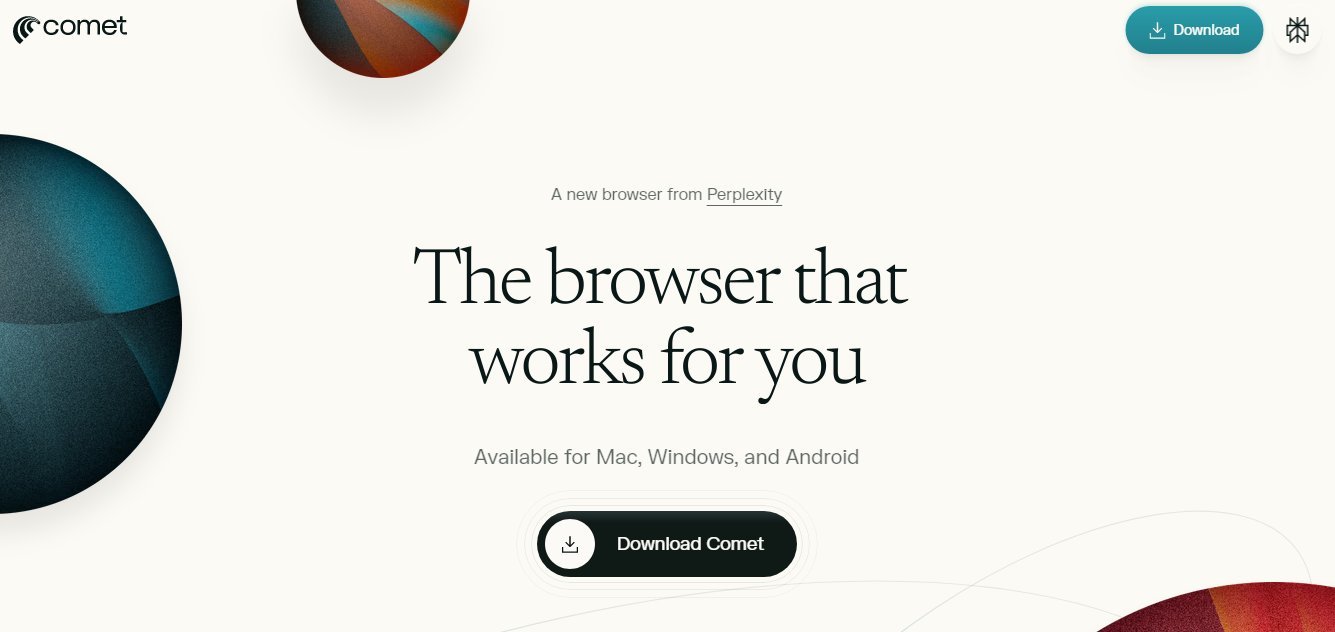
You can download Perplexity’s Comet AI Browser on Windows, Mac and Android from here
Performance and System Management
As an AI-powered tool, the Perplexity Comet AI browser requires more computational resources than traditional browsers, using 280–340MB RAM and 12–18% CPU during AI operations. While this may impact older systems, the productivity gains are substantial. Research shows that Comet users complete research and shopping tasks 30–40% faster than traditional browser users, primarily because the AI assistant handles the cognitive load of managing multiple tabs and synthesizing information.
The browser’s intelligent system management ensures optimal performance across different hardware configurations, making the Perplexity Comet AI browser accessible to a broad user base while delivering sophisticated AI capabilities that transform the browsing experience.
Technical Specification
| Detail | Implications |
|---|---|
| Underlying Engine | Chromium |
| Full extension and site compatibility | |
| Routing Logic | Task-based multi-model routing |
| Balances speed (Mistral) with depth (GPT-5/Claude) | |
| Context Window | Up to 200,000 tokens (Claude) |
| Support for massive document analysis | |
| Resource Usage | 280–340MB RAM / 12–18% CPU |
| Requires modern hardware for optimal performance | |
| Search Infrastructure | Global-scale real-time index |
| Eliminates model hallucinations via citations |
Comet vs. OpenAI Atlas
OpenAI’s Atlas browser emerges as the most direct competitor to the perplexity ai comet browser. Launched in October 2025, Atlas is a Chromium-based AI-native browser featuring deep ChatGPT integration. While Comet emphasizes research, factual citations, and background multitasking, Atlas focuses on “Agent Mode” automation and “Browser Memories” to deliver a highly personalized workflow assistant. Atlas implements a unique “OWL architecture” (OpenAI’s Web Layer) that isolates browser processes for enhanced security, whereas the comet ai browser relies more heavily on its grounding layers and local data narrative.
| Browser | Core Philosophy | Best For | Price |
|---|---|---|---|
| Perplexity | Comet | Agentic Research & Citations | Free |
| OpenAI Atlas | ChatGPT Automation | Workflow productivity, creative tasks | Free / Premium |
| Microsoft Edge | Ecosystem Integration | Enterprise users, Microsoft Office 365 | Free |
| Brave Leo | Privacy & Local AI | Privacy-conscious browsing | Free / Premium |
| Arc Max | Minimalist Productivity | Users who dislike sidebars and clutter | Free |
Perplexity Comet AI Browser Need to Know Things
Essential Keyboard Shortcuts and Commands
Comet features a comprehensive library of shortcuts optimized for various professional and academic workflows.
| Command / Shortcut | Action | User Persona |
|---|---|---|
| Alt + A | Opens Comet Assistant sidebar | General / Research |
| Alt + S | Triggers page summarization | Students / Professionals |
| Alt + Shift + V | Activates Voice Mode | Mobile / Accessibility |
/cite |
Generates MLA/APA/Chicago citations | Academic Researchers |
/tldr |
Creates a quick summary of the page | General Users |
/job-fit |
Analyzes job description against LinkedIn | Job Seekers |
/add-classes |
Syncs course times to calendar | Students |
/order-textbooks |
Adds textbooks to bookstore cart | Students |
Optimization Tips
To maximize Comet’s potential, users should:
- Enable AdBlock: Active by default, ensuring clean webpage content processing without ad script interference.
- Connect Productivity Apps: Link Gmail and Google Calendar for autonomous agent-driven reply drafting and event scheduling.
- Use the “Ask” Button: Leverage contextual querying for specific content in long documents or technical sites.
- Leverage Spaces: Organize research results into “Spaces” with custom instructions for tailored AI tone and focus.
Overview of the Perplexity Comet browser
The perplexity Comet browser is built on Chromium but goes far beyond the passive display capabilities of conventional browsers. It integrates Perplexity’s AI technology directly into its architecture, creating what developers call an “AI-native” browsing experience. This isn’t merely a browser with AI features added on—it’s a complete reimagining of web interaction.
What makes Comet unique is its ability to transform browsing sessions into seamless conversations. Users who downloaded Comet increased their question-asking by six to eighteen times on their first day of use. This dramatic change happens because the browser turns the entire internet into an interactive space where curiosity can flourish.
The role of the Comet Assistant
At the heart of the Comet AI browser is the Comet Assistant—an AI agent that can interact with web content, tabs, email, and calendars. Unlike traditional chatbots that simply answer questions, the Assistant can:
-
Perform actions on your behalf across websites
-
Navigate and interact with web pages autonomously
-
Extract context from multiple open tabs simultaneously
-
Connect to Gmail and Google Calendar with read/write access
This agentic capability allows users to issue natural language commands like “book a flight” or “summarize this video,” after which the Assistant handles all the necessary steps without requiring manual navigation through each stage of the process.
How Comet encourages asking better questions
Perplexity designed Comet specifically to nurture curiosity in an online environment that often stifles it. The browser transforms any webpage into a portal for exploration—you can highlight text for instant explanations or ask specialized questions about content you’re viewing.
Ultimately, what sets the perplexity browser apart is how it removes friction from the questioning process. Rather than forcing users to formulate perfect search queries or navigate through multiple sites, Comet lets you think out loud and receive contextual assistance precisely when you need it.
Voice integration further enhances this natural interaction, allowing hands-free operation for research and multitasking. You can speak directly to the Assistant, asking questions about current pages or requesting actions across open tabs—creating a more fluid experience that keeps pace with human thought.
How Comet is different from other browsers
Comparing the Comet AI browser with conventional browsers reveals fundamental differences that go beyond surface-level features. Let’s examine what truly sets this technology apart in 2026.
Not just a browser: AI-native by design
The perplexity browser stands out as the world’s first truly AI-native browser, built from the ground up for AI integration. Conventional browsers like Chrome or Edge have added AI features as afterthoughts, whereas Comet was designed with AI assistance as its core architecture. This difference is similar to how smartphones fundamentally changed mobile experiences compared to phones with features added later.
Real-time assistance vs. static search
Comet provides dynamic, contextual assistance across all your open tabs. Traditional searches deliver static results that quickly become outdated, yet Comet synthesizes information in real-time across multiple sources. The browser can summarize content across all your open tabs simultaneously, creating a more comprehensive understanding than isolated page views.
Background Assistants and multitasking
Perhaps most impressive is Comet’s ability to perform tasks asynchronously through Background Assistants. These function as “a team of assistants working for you” that handle multiple tasks while you focus elsewhere. You can track their progress via a dashboard, jumping in only when necessary—like directing a skilled team rather than doing everything yourself.
Comet vs. traditional chatbots
Although chatbots can answer questions, the Comet AI browser operates as an actual agent. It navigates websites, executes multi-step workflows, and extracts context from various sources. Chatbots require you to manually paste links and context, whereas Comet works directly with your browsing session.
Mobile-first design with voice integration
Finally, the perplexity Comet browser excels on mobile through thoughtful design rather than forcing desktop features onto smaller screens. Its voice recognition enables hands-free operation, allowing questions or summaries without leaving your current webpage—perfect for research on the go.
The bigger vision behind Comet AI
Perplexity’s ambitious mission for the Comet AI browser extends beyond creating just another search tool. The company aims to fundamentally reshape how we interact with information online.
Supporting real journalism with Comet Plus
Perplexity launched Comet Plus with a substantial $42.50 million fund earmarked for participating publishers. This innovative model allocates revenue based on three distinct engagement types:
-
Direct visits to publisher sites
-
Citations in on-screen AI answers
-
Usage within AI-driven tasks
Notably, publishers receive 80% of subscription revenue, consequently creating a sustainable model for quality journalism in the AI era. This approach recognizes that “Perplexity only succeeds if journalism succeeds”.
Turning curiosity into productivity
The perplexity Comet browser eliminates tab fatigue and manual research by transforming browsing sessions into streamlined workflows. As users ask questions, the Comet AI browser responds by digesting large amounts of content, making informed decisions, and delegating time-consuming tasks to the AI assistant.
What the future of browsing could look like
In essence, the perplexity browser represents a transition from passive interface to intelligent partner. The comet AI browser signals a future where browsing becomes less about clicking and more about thinking out loud.
Above all, this vision positions AI as a front-line collaborator, directly integrated into tools we use daily. This transformation will likely reshape not just individual productivity but also enterprise-scale operations, particularly as organizations continue navigating digital transformation.
Specialized Utility for Developers and Researchers
While regular users enjoy the comet ai browser’s simple approach to everyday tasks, it has strong features made for tech experts and academic scholars. The browser works as a smart link joining complex thinking systems with organized web information.
Browser Automation and Scraping
For coders, the perplexity comet ai browser is more than just a tool—it’s a programmable helper. Through the Model Context Protocol (MCP) connection, coders can link Perplexity’s AI skills with their local coding setups allowing for several high-level uses:
-
Web Scraping and Data Extraction:
You can use natural language prompts to pull structured data from websites. This gets rid of the need to define CSS selectors or XPath. The “Perplexity Comet MCP” tool stands out in its ability to automate AI-driven data collection.
-
Automated QA and Testing:
The agent has the ability to move through web application flows. It can find bugs, check form submissions, and make sure UI elements are correct.
-
Intelligent Bot Construction:
By using the Search SDK and API, developers can build bots. These bots tap into Comet’s up-to-the-minute web awareness. This allows for complex interactions that go beyond what traditional automation tools can do.
Research Efficiency and Citations
Researchers in academia and industry get a boost from Comet’s “citation-first” design. Regular AI models sometimes make up false info, but this browser backs up every claim with real web links you can check. Users can create citations in MLA, APA, or Chicago styles by typing “/cite”. What’s more, the “Deep Research” tool helps put together big multi-part analysis reports that combine many sources into one clear document.
Developer API and SDK
The Search API from Perplexity gives developers a way to access the same large-scale system that powers Comet. This API is built to handle AI tasks well. It gives back organized answers with ranked bits from its index. This cuts down on the work developers need to do beforehand and speeds up adding real-time search to other apps. The search_evals framework, which is open source, lets developers test how good and fast their search-agent setups are compared to what’s normal in the industry.
| Developer Tool | Function | Primary Users |
|---|---|---|
| MCP (Model Context Protocol) | Connects Comet to local tools/apps | Software Engineers |
| Search API | Programmatic web-wide research | AI App Developers |
| Search SDK | Rapid prototyping of search tools | Product Managers / Devs |
| search_evals | Open-source evaluation framework | AI Researchers |
| Custom Connectors | Links files (GitHub, Notion) to AI | Enterprise Teams |
Conclusion
The Comet AI browser stands as a revolutionary response to our increasingly restrictive internet experience. Throughout this review, we’ve seen how Perplexity has created something fundamentally different from traditional browsers – not merely a window to websites but an active partner in knowledge exploration.
Undoubtedly, the statistics speak for themselves. Users ask between 6-18 times more questions on their first day with Comet compared to their previous browsing habits. This dramatic increase reflects how the browser removes friction from the questioning process, allowing our natural curiosity to flourish again.
Additionally, the AI-native design separates Comet from conventional browsers that have simply bolted on AI features as afterthoughts. The background assistants work asynchronously across multiple tabs, essentially giving users a team of digital helpers rather than forcing them to juggle tasks manually.
The vision behind Perplexity’s creation extends beyond convenience. The company has established a substantial $42.50 million fund for publishers, with 80% of subscription revenue flowing to content creators. This approach acknowledges a fundamental truth – quality information requires sustainable support.
Nevertheless, what makes Comet truly transformative is how it shifts the browsing paradigm from passive consumption to active exploration. Rather than fighting against the internet’s distractions and manipulation, we now have a tool designed specifically to amplify human curiosity.
The future of browsing, as Comet suggests, will focus less on clicking through endless tabs and more on thinking aloud. This natural interaction keeps pace with human thought rather than forcing us to translate our questions into perfect search queries.
Ultimately, the Perplexity Comet browser represents not just a technological advancement but a philosophical shift in how we access information. The internet once promised a world of knowledge at our fingertips – Comet finally delivers on that promise, turning the entire web into an interactive space where curiosity thrives again.
FAQs
-
What is the Comet AI browser and how does it differ from traditional browsers?
The Comet AI browser is an AI-native browser that integrates artificial intelligence directly into the browsing experience. Unlike traditional browsers, Comet actively assists users in navigating information, encourages curiosity, and can perform tasks across websites autonomously.
-
How does the Comet Assistant work within the browser?
The Comet Assistant is an AI agent that can interact with web content, tabs, email, and calendars. It can perform actions on behalf of users, navigate web pages autonomously, extract context from multiple tabs, and connect to services like Gmail and Google Calendar with read/write access.
-
What is the “Background Assistants” feature in Comet?
Background Assistants in Comet are AI agents that can perform multiple tasks asynchronously while users focus on other activities. Users can track their progress via a dashboard and intervene only when necessary, similar to managing a team of skilled assistants.
-
How does Comet support journalism and content creators?
Comet Plus includes a $42.50 million fund for participating publishers, with 80% of subscription revenue going to content creators. This model supports quality journalism by allocating revenue based on direct visits, citations in AI answers, and usage within AI-driven tasks.
-
Can Comet be used on mobile devices?
Yes, Comet has been designed with a mobile-first approach. It features voice integration for hands-free operation, allowing users to ask questions or request summaries without leaving their current webpage, making it ideal for research on the go.
All this information is Open-Source and also avaliable at Perplexity’s Comet’s official site, you can also get more deeper information from here.
Frequently Asked Questions
What is the Comet AI browser and how does it differ from traditional browsers?
The Comet AI browser is an AI-native browser that integrates artificial intelligence directly into the browsing experience. Unlike traditional browsers, Comet actively assists users in navigating information, encourages curiosity, and can perform tasks across websites autonomously.
How does the Comet Assistant work within the browser?
The Comet Assistant is an AI agent that can interact with web content, tabs, email, and calendars. It can perform actions on behalf of users, navigate web pages autonomously, extract context from multiple tabs, and connect to services like Gmail and Google Calendar with read/write access.
What is the "Background Assistants" feature in Comet?
Background Assistants in Comet are AI agents that can perform multiple tasks asynchronously while users focus on other activities. Users can track their progress via a dashboard and intervene only when necessary, similar to managing a team of skilled assistants.
How does Comet support journalism and content creators?
Comet Plus includes a $42.50 million fund for participating publishers, with 80% of subscription revenue going to content creators. This model supports quality journalism by allocating revenue based on direct visits, citations in AI answers, and usage within AI-driven tasks.
Can Comet be used on mobile devices?
Yes, Comet has been designed with a mobile-first approach. It features voice integration for hands-free operation, allowing users to ask questions or request summaries without leaving their current webpage, making it ideal for research on the go.